
What Is AAA and Why It Matters#
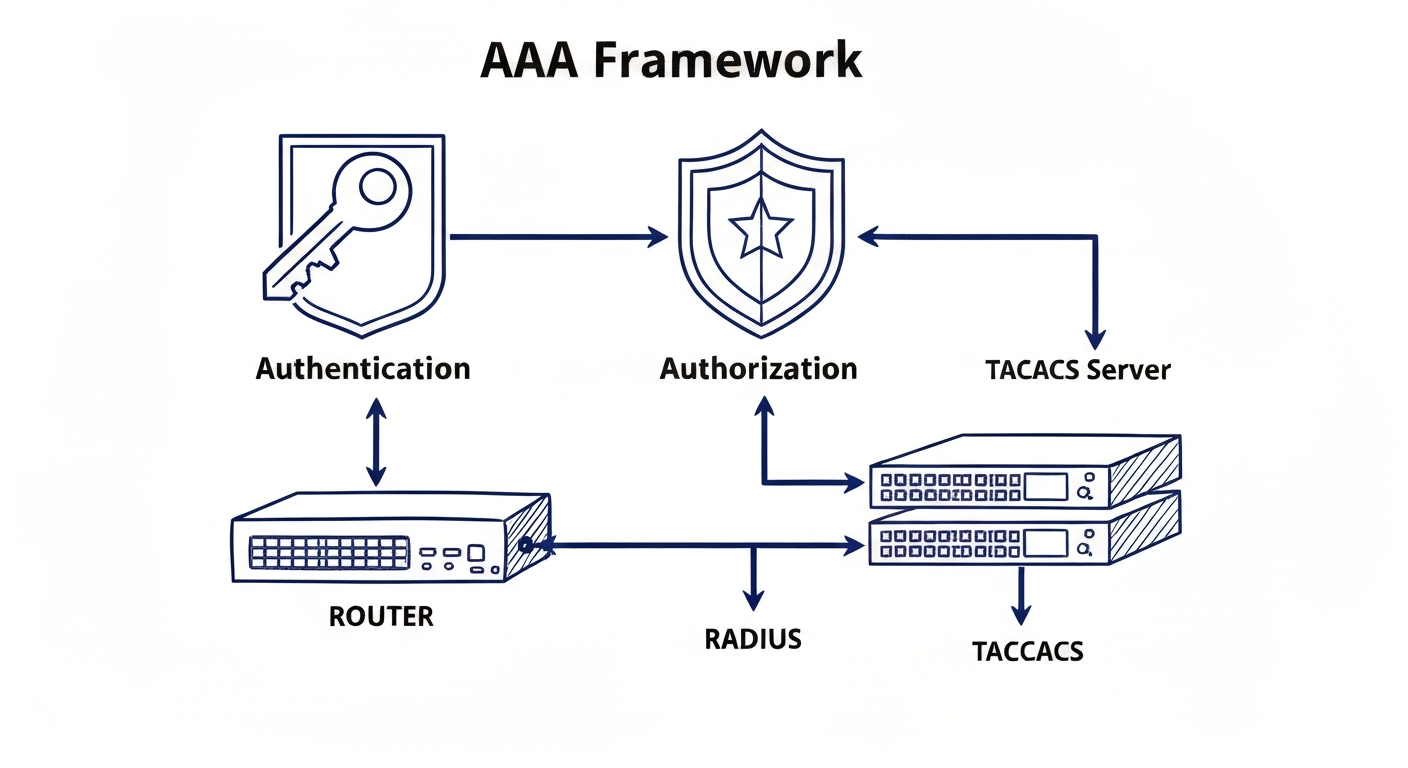
If you manage more than a handful of network devices, you need AAA. Authentication, Authorization, and Accounting. Three words that define who gets in, what they can do, and what they did.
Without AAA, you are stuck with shared passwords on every line of every router. No accountability, no granularity, no scalability. With 100 routers and 50 users, that is 5,000 password entries managed by hand. AAA solves this with a single central server.
The Three A's#
Authentication answers "who are you?" The user proves their identity with a username and password, a token, a certificate, or biometrics. If they cannot prove it, they do not get in.
Authorization answers "what can you do?" Once authenticated, the system decides what resources and commands the user can access. Authorization always happens after authentication.
Accounting answers "what did you do?" Every action gets logged. Who connected, when, from where, what commands they ran, and how long they stayed. This is your audit trail for compliance and incident response.
Local vs Server-Based AAA#
Local AAA stores usernames and passwords on each device individually. It works without network connectivity and is fine for small setups. But it does not scale. Every new user means updating every device.
Server-Based AAA centralizes everything on a dedicated server like Cisco ISE or FreeRADIUS. Configure 50 users once, and every device on the network authenticates against that single source. The trade-off is that your devices need network connectivity to the AAA server, so you always configure a local fallback.
RADIUS vs TACACS+#
These are the two protocols that routers use to talk to AAA servers. They are not interchangeable.
TACACS+ encrypts the entire packet, separates authentication from authorization from accounting, and supports per-command authorization. It runs on TCP port 49. Best for device administration where you need to control exactly which commands each admin can run.
RADIUS encrypts only the password, combines authentication and authorization into one step, and provides extensive accounting. It runs on UDP ports 1812/1813. Best for network access control like Wi-Fi authentication, VPN access, and 802.1X.
The rule of thumb: TACACS+ for managing routers and switches, RADIUS for managing user access to the network.
Configuring Local AAA#
The process starts with creating local users and enabling AAA:
That last line means: try the local database first. If no users are configured, fall back to no authentication. You can also create named method lists for specific lines:
One critical warning: the moment you type aaa new-model, the router starts using AAA immediately. If you have not configured a default method list, you can get locked out. Always keep a console session open.
Configuring RADIUS#
Setting up a RADIUS server takes four commands:
Then create an authentication method list that tries RADIUS first with local as fallback:
The fallback behavior is important to understand. If the RADIUS server is unreachable, the router tries the local database. But if the server is reachable and rejects the credentials, there is no fallback. Wrong password means denied, period.
Privilege Levels and Parser Views#
Cisco IOS has 16 privilege levels (0-15). Level 1 is basic user access. Level 15 is full admin. You can assign specific commands to custom levels in between:
The problem with privilege levels is keyword inheritance. Granting show ip route at level 5 also grants all show and show ip commands. Parser views (Role-Based CLI Access) solve this by letting you define exact command sets per role with no inheritance leakage.
AAA Authorization and Accounting#
Authorization controls what happens after login:
Accounting records everything:
The start-stop keyword sends a record when the session begins and when it ends. This gives you complete visibility into who was on which device and for how long.
Key Takeaways#
- AAA centralizes identity management. Authentication verifies, authorization permits, accounting logs
- TACACS+ for device admin (full encryption, per-command control). RADIUS for network access (Wi-Fi, VPN, 802.1X)
- Always configure a fallback method (local database) so you do not get locked out when the server is down
- Privilege levels are simple but leak permissions through keyword inheritance. Parser views give precise command-level control
- Method lists try methods in order, but only fall back on server unavailability, not on wrong credentials
Comments (0)
Sign in to join the conversation